 SpendLah
Log spending in a second.
SpendLah is an expense tracker for iPhone, made for Singapore. Type it, snap a receipt, or let Apple Pay log it for you.
App Store badge (added at launch)Free. iPhone with iOS 27 or later. No account.
Type it. Done.
Write what you spent, the way you would text a friend. “kopi 1.80” is logged in a second.
Simple notes are read on your iPhone. They need no AI and work offline.
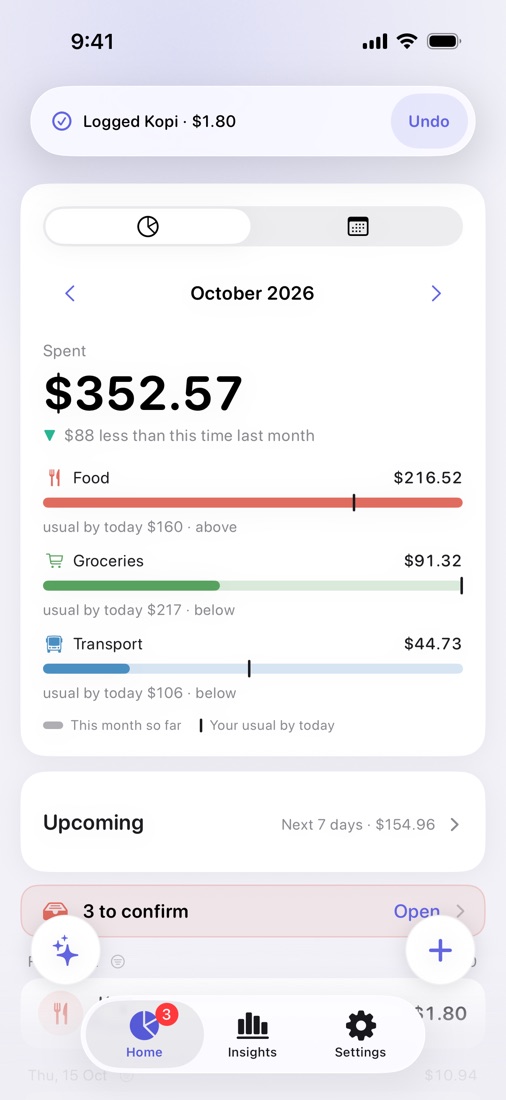
Snap a receipt. Log your share.
Take a photo. SpendLah splits the receipt into items, including service charge and GST. Keep just the items you had and log your share of the bill.
Itemising a receipt uses Apple Intelligence on your iPhone.
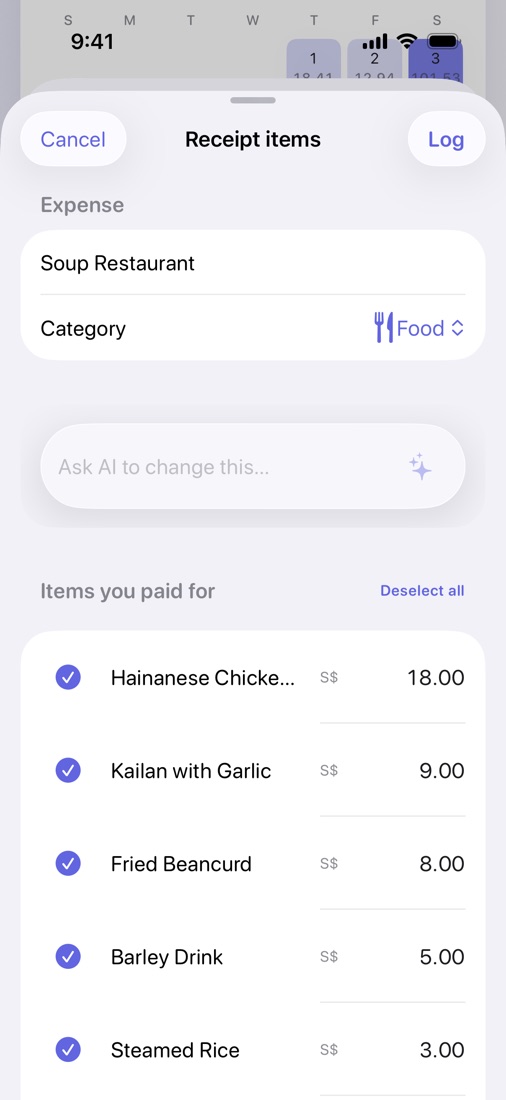
Most Apple Pay purchases log themselves.
Add a Shortcuts automation once and most of your Apple Pay purchases land in “To confirm” on their own. Cash, PayLah and some bank payments still need you. Grab and UOB TMRW payment notifications work the same way. You check each one before it counts. Setup takes about a minute.
Needs iOS 27 and Wallet notifications turned on.
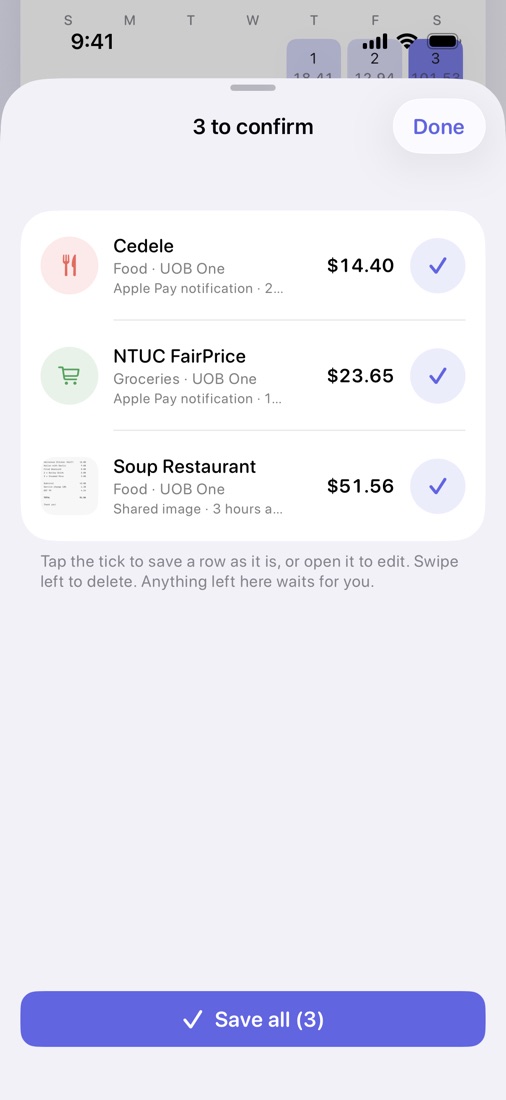
See where it went.
- A calendar heat map shows your spending day by day.
- “Compared with usual” shows this month so far against your usual by this date, for each category.
- Insights show a category donut and daily or monthly bars. Tap a day to see its expenses.
- Compare any two months, whole or month to date.
- Upcoming recurring charges get a reminder the day before.
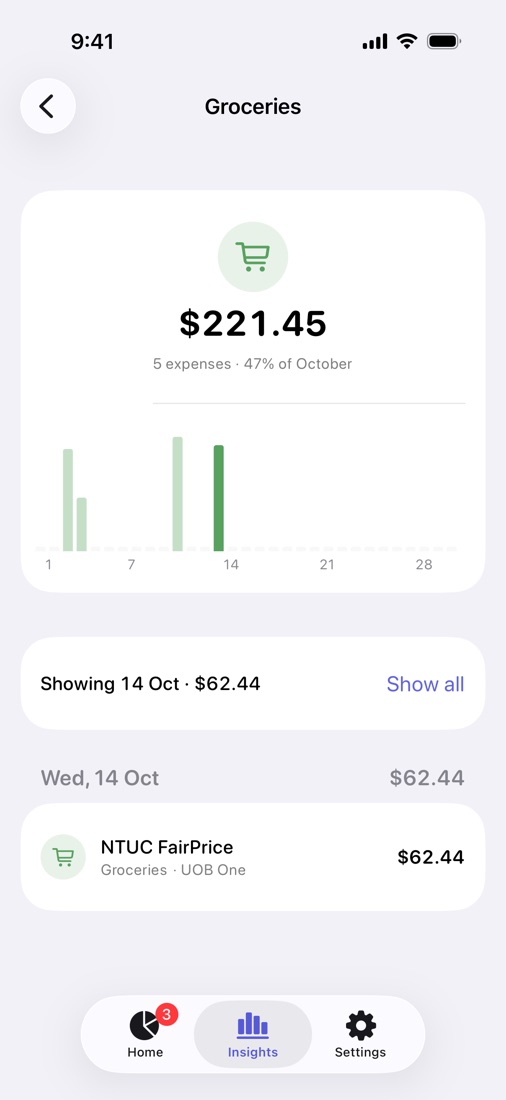
And the rest
- Recurring and subscriptionsTrack what renews and when.
- Share sheetSend a receipt or PayNow screenshot from Photos.
- WidgetsCheck your spending from the Home Screen.
- ThemesPick the look you like. Light and dark both work.
- CSV exportTake your data to a spreadsheet.
- Backup and restoreSave everything to a file and bring it back.
Your spending lives on your iPhone. So does the AI.
- No account to make
- No ads
- No tracking across apps, and your data is never sold
- AI runs on your iPhone with Apple Intelligence, and you can turn it off any time
Questions
Is it free?
Yes, SpendLah is free to download and use.
Which iPhones does it run on?
Any iPhone with iOS 27 or later. It runs on iPhone Duo, but it isn't optimised for the larger screen yet.
Does it need an account?
No. Open the app and start logging.
What does the AI see?
Your notes, receipt photos, payment notifications and spending questions, read by Apple Intelligence on your iPhone. Nothing goes to SpendLah’s server or to any AI company. A long receipt may be read by Apple’s Private Cloud Compute, which keeps nothing. The privacy policy has the details.
Can I turn AI off?
Yes, any time in Settings, then AI & Privacy. With AI off, simple notes still work because they never needed it. AI needs an iPhone with Apple Intelligence (iPhone 15 Pro or later).
Where is my data stored?
On your iPhone. Expenses, receipts and settings are not synced to a SpendLah server. Backups are files you export yourself.
How do I set up Payment auto-log?
You need iOS 27 and Wallet notifications turned on. In SpendLah, open Settings → Payment auto-log → Wallet, and tap “Add the Wallet shortcut”. It takes about a minute. See the steps on the Support page.